Facebook Shops (and the everyday “facebook shop” people click from a facebook business page) isn’t just a mini storefront—it’s Meta’s attempt to turn attention, intent, and conversation into measurable social commerce. When it works, it compresses the distance between discovery and purchase by keeping people in the flow of social media, letting them browse product listings, ask questions in DM, and hit shop now while their intent is still warm. When it doesn’t, it becomes a thin catalog layer with poor merchandising, inconsistent price and availability, and the kind of friction that quietly kills conversion rate optimization (CRO) before shoppers ever reach your online store. The brands that win treat Facebook Shops as one layer inside Omnichannel Commerce, anchored by a Shopify site and powered by repeatable creative and social proof in eCommerce.
What are Facebook Shops?
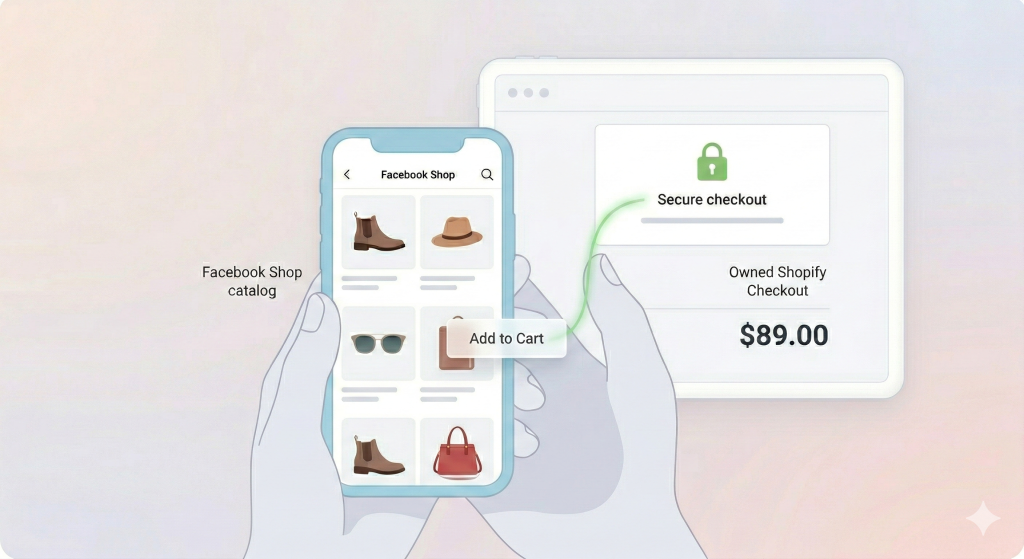
Facebook Shops is Meta’s social commerce product that lets business owners create a shop connected to a facebook account and a facebook business page, then sell physical products through a catalog-backed shopping experience across Facebook and, when connected, an instagram shop tied to an instagram business account and instagram profile. The core idea is simple: your catalog becomes a shoppable surface inside the app—organized into collections, searchable through a shop tab, and promoted via content and ads—so “scrolling” can become Social Shopping without forcing a cold jump to a browser. Meta positions this as a Commerce Manager–led system where the shop experience is managed centrally (catalog, collections, policies, insights) and deployed across Meta surfaces.
How Facebook Shops Works
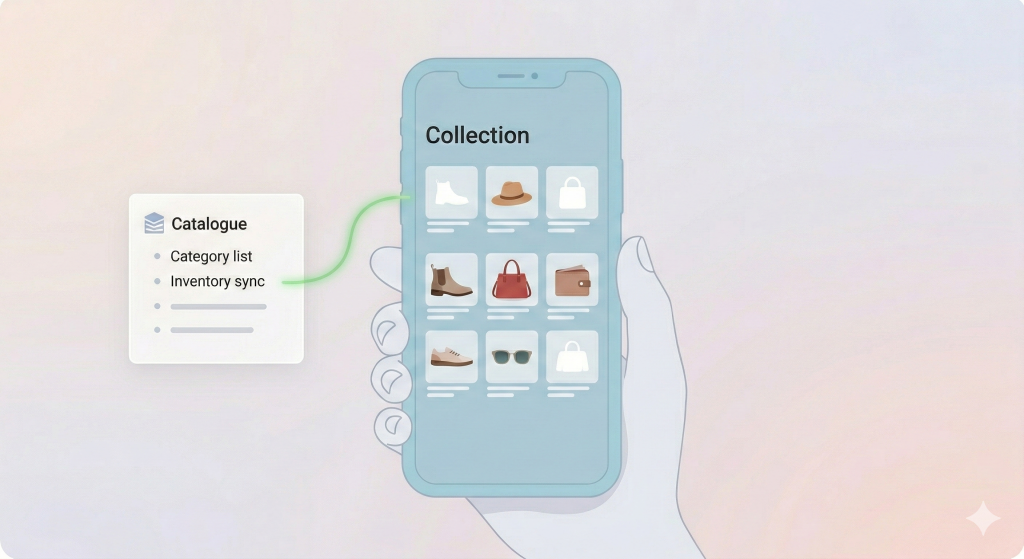
Operationally, Facebook Shops is a catalog and policy engine wrapped in a customer-facing UI. You create a shop from commerce manager (often referred to as facebook commerce manager / facebook commerce manager) by first creating a commerce account, connecting or creating a product catalog, and then choosing how checkout works—either sending shoppers to your website (website checkout) or using any regionally available native flows that may exist for certain merchants at certain times. You then customize the shop’s layout with collections, branding elements like a cover image, and merchandising decisions that determine what a shopper sees first (your shop’s equivalent of a home page).
Where this fits in the customer journey is subtle but important. A Facebook Shop rarely replaces your website funnel; it usually plays the “high-intent bridge” role—someone sees content, taps into the shop, checks details, then finishes on your shopify checkout where your PDP stack, shipping logic, and post-purchase flows live. What breaks when the setup is wrong is consistency: mismatched variants, outdated inventory, and catalog clutter undermine confidence and reduce the ability to build Trust Signals in Commerce at the moment the shopper is deciding whether you’re legitimate.
Facebook Shops vs Facebook Marketplace
Facebook Marketplace is primarily a classifieds-style environment—great for local deals and peer-to-peer behavior, but structurally different from a brand-run shop. Shops is for branded commerce: it’s catalog-driven, merchandised, and designed to integrate with Meta’s ad and measurement stack, while Marketplace is more transactional and price-sensitive by default. This difference matters because it changes your “conversion psychology”: Marketplace buyers often optimize for price and proximity; Shops buyers are more open to brand proof, curated collections, and content-led persuasion. If you treat Shops like Marketplace, you’ll over-index on discounts and under-invest in PDP content, which is how you end up with noisy traffic and weak repeat purchase.
Who Can Use Facebook Shops?
Most merchants can use Facebook Shops if they meet Meta’s commerce eligibility requirements and have the right business setup, but the “how” often depends on your platform. Shopify brands commonly use the “Facebook and Instagram by Meta” channel to sync catalogs and keep the shop aligned with the site (especially important for consistent price, inventory, and product naming). BigCommerce and other ecommerce platforms also support Meta integrations, and direct catalog uploads are possible for smaller catalogs—useful for a small business testing a new shop before investing in a deeper stack.
Sources:
Why Facebook Shops Matters for Social Commerce
1) Built-in Audience Scale
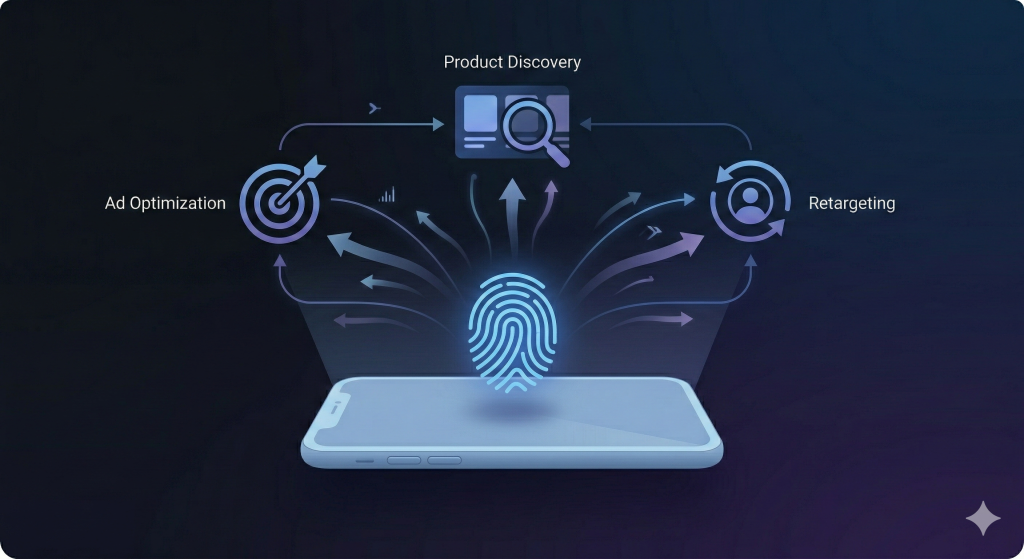
Meta’s advantage isn’t that it invented shoppable commerce—it’s that it can connect billions of behavioral signals to distribution and retargeting. A shopper who browses your shop, taps a product, or messages you creates intent data that can feed ads manager optimization, making your facebook ads smarter over time. This is where Revenue Attribution becomes more strategic than perfect: Shops help create measurable intent events that let you invest confidently across the funnel, even when last-click under-credits social. If you’ve ever scaled paid social, you’ve seen the pattern: once your catalog and creative are aligned, Meta can convert “interest” into repeatable acquisition in a way most channels can’t.
2) Native Shopping Experience
Facebook Shops is built for Mobile Commerce, meaning the UI assumes distraction, short attention, and constant context switching. That’s why the best shops feel merchandised, not merely uploaded: simple collections, clear titles, strong imagery, and minimal friction from browse to click. What breaks when you ignore this is “decision fatigue”—too many similar SKUs, confusing variants, and inconsistent content that forces the shopper to do work. In social commerce, extra work is conversion friction, and friction is where Social Commerce ROI goes to die.
3) Integration with Instagram Shops
The real leverage comes when Facebook Shops isn’t isolated—when it’s part of a Meta-wide commerce system including instagram shop and content-based entry points like Shoppable posts and In-Feed Shopping. That’s where Instagram monetization and Insta shop monetization stop being vague creator-speak and become a merchandising strategy: content drives entry, the shop provides structure, and your website closes with your strongest CRO assets. In practice, the compounding effect is consistency—same catalog, same availability, same pricing logic—so shoppers aren’t forced to reconcile conflicting product info across surfaces.
4) AI-Powered Product Discovery
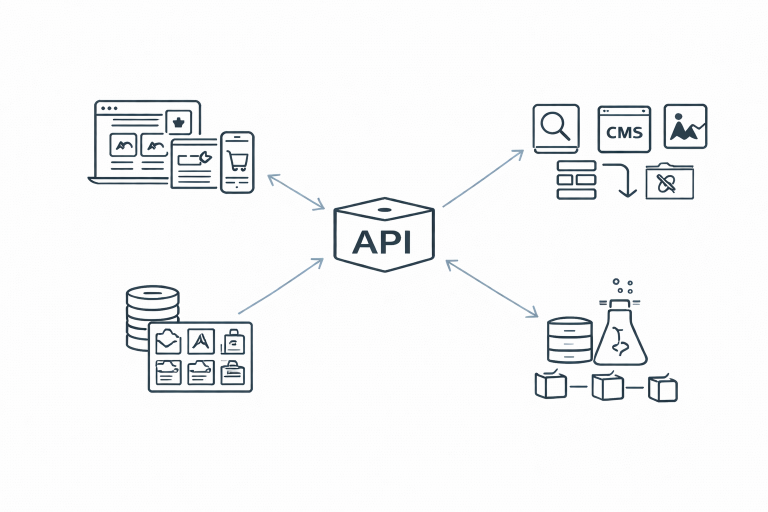
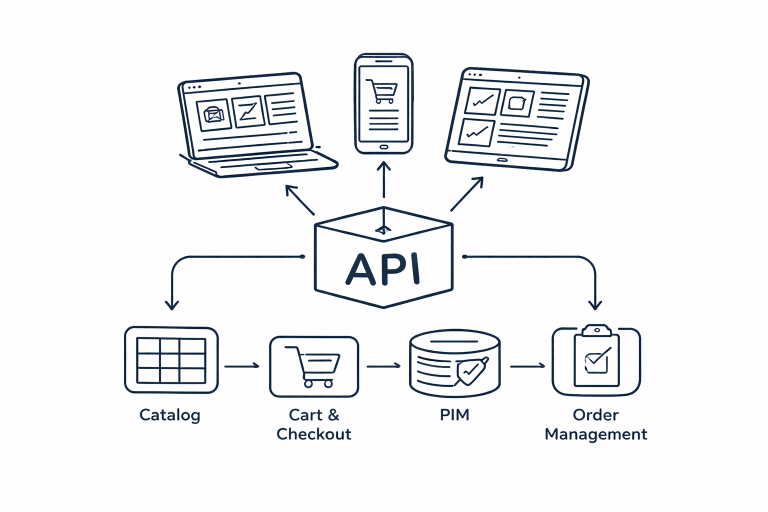
Meta increasingly treats commerce like a recommendation problem: match the right product to the right person at the right moment, then reduce the steps to purchase. The upside is scalable discovery; the downside is platform dependency—your distribution can change with algorithm shifts, policy updates, or creative fatigue. This is why modern teams pair Meta with owned assets and flexible architecture like Headless Commerce and API-Driven Commerce, so catalogs, pricing, and product truth stay consistent even when channel behavior changes. If your “single source of truth” is messy, the algorithm will amplify the mess.
Facebook Shops Features Explained
Product Tagging in Posts & Reels

Product tagging is the connective tissue between content and commerce: you tag products in posts and reels so a shopper can move from narrative to product detail without hunting through links. On Instagram, Meta’s tagging guidance is here Meta’s business help variant can help you understand what needs to be done.
This is where shoppable content becomes a conversion system rather than a content calendar—because the shopper can act at the moment of belief. What breaks when tagging is sloppy is trust: when tags point to the wrong variant, when availability doesn’t match, or when the product doesn’t match what the content “proved,” you create a bait-and-switch feeling that kills Trust Signals in Commerce.
Live Shopping and Live Video

Meta’s live commerce capabilities have evolved over time and can be regionally constrained, but the strategic value of live video remains: real-time objection handling, social validation, and urgency. The best live experiences feel less like a broadcast and more like a product demo plus Q&A, which mirrors what great sales staff do in-store. When brands treat live as pure performance without product clarity, it becomes entertaining but non-converting—high engagement, low sales, and poor downstream attribution.
Shop Ads & Retargeting
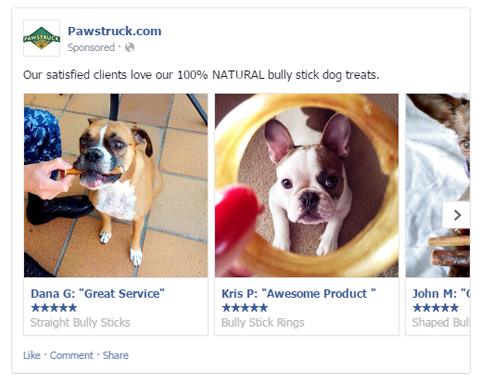
Shop ads work when your shop is clean and your catalog is merchandised like a storefront, not a spreadsheet. The main failure mode is trying to outspend a weak experience: you push traffic to a shop with cluttered collections, weak imagery, or confusing variants, then blame Meta when conversion underperforms. In reality, Shops is a “pre-checkout experience,” and your job is to reduce uncertainty before the shopper ever sees your checkout page. Done well, this improves conversion efficiency and can lift Average Order Value (AOV) by guiding shoppers into bundles, categories, and complementary items.
Custom Collections
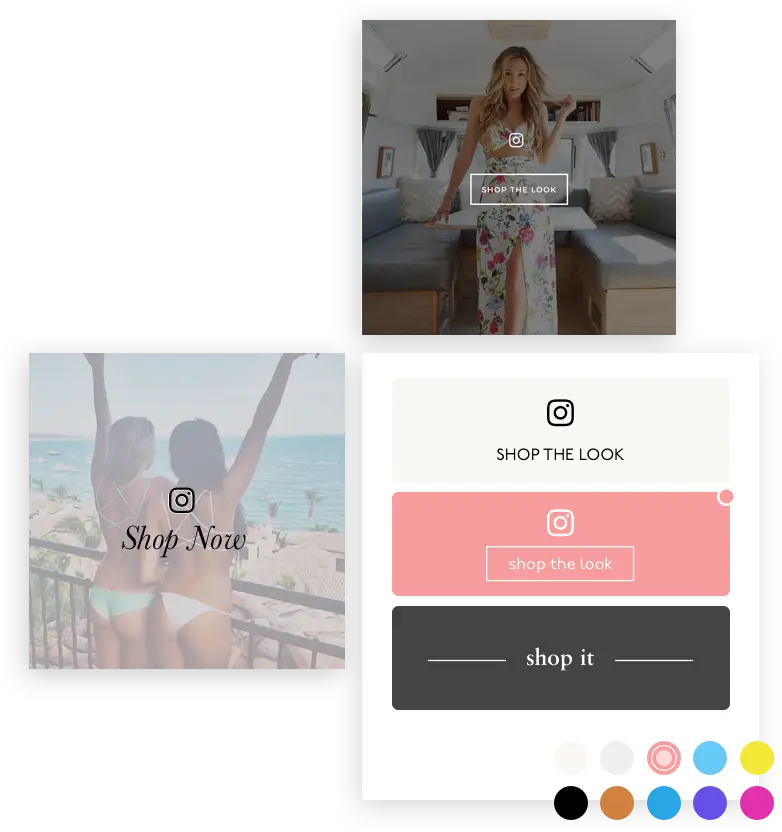
Collections are your merchandising language inside the constraints of Meta’s UI. Think of them as compact category pages that can be seasonal (“Black Friday picks”), mission-based (“best gifts”), or solution-based (“travel essentials”), depending on how customers shop your category. What breaks when collections are poorly built is choice paralysis: too many options without a narrative, which makes it harder for a shopper to self-select. When collections are built well, they reduce cognitive load and improve the Engagement-to-Purchase Funnel by creating a smoother path from browse to decision.
Messaging Integration (Messenger / DM / WhatsApp)
The most underrated commerce feature in Meta is messaging, because it turns uncertainty into a conversation instead of a bounce. Someone asking about sizing, shipping, or compatibility in DM is often closer to purchase than someone browsing a catalog, and fast responses can turn “maybe later” into “buy now.” Messaging also connects naturally to Whatsapp and instagram directly, depending on your setup, making it easier to support shoppers where they already are. What breaks is operational: if you can’t respond quickly and consistently, messaging becomes a trust liability rather than a trust accelerator.
Facebook Shops Fees & Requirements
“Is it free?” is a fair question, but it’s also the wrong mental model. Many brands can set up the shop experience without paying Meta a “platform fee,” especially if checkout happens on your website—Meta’s own notice says that as of September 2025, Shops on Facebook and Instagram use website checkout.
The costs show up elsewhere: payment processing on your site, creative production, catalog operations, customer support overhead, and (most often) paid media.
If you’re evaluating BigCommerce specifically, the most pragmatic answer is that Meta fee structures tend to matter most when orders are processed on Meta properties; when orders are completed on your own website, Meta generally isn’t charging a per-transaction fee in the same way. BigCommerce’s update on Meta Shops checkout changes is a strong reference point for how those economics and flows have shifted.
Where teams get burned is ignoring Platform Monetization Policies and commerce eligibility rules—because policy violations can remove your ability to sell, advertise, or even show products properly, which is a much bigger risk than any single fee.
The Limitations of Facebook Shops (What Brands Overlook)

Limited Brand Control
Facebook Shops is a platform experience first, which means you don’t get the same freedom you have on your Shopify site to design, test, and personalize. You can influence merchandising and structure, but you can’t fully replicate deep PDP optimization patterns, advanced bundling, or the richest “why buy” storytelling that high-consideration categories require. Brands that treat Shops as the “main store” often hit a ceiling because they can’t iterate fast enough on conversion details.
Algorithm Dependency
If your shop relies on organic distribution, you are exposed to algorithm shifts and format changes. Meta’s ecosystem has continued to push video-first surfaces; for example, Reuters reported Meta’s plan to classify all new Facebook videos as Reels as part of a broader Reels strategy.
That kind of shift changes content strategy, placement behavior, and how product tagging is discovered—so resilience means building a system, not chasing a format.
Data Ownership Constraints
You can get strong signals from Meta, but you rarely get the same clean ownership and portability of customer data that you have on your own store. This matters for attribution, segmentation, and LTV strategy—especially if you’re trying to measure true incremental lift rather than “reported” channel performance. Brands that mature here treat Meta reporting as directional, then validate outcomes with onsite analytics and controlled experiments.
UGC & Social Proof Limitations Inside Native Shops
The thing that converts skeptical shoppers is proof—reviews, UGC, demonstrations, and credible context. Native shops have constraints on how deeply you can embed proof systems compared to your website, which is why most high-performing teams treat Shops as a discovery and qualification layer, then let the website do the heavy lifting with PDP content and social proof modules. When brands ignore this, they try to “convert inside the shop” without enough proof and then conclude the channel doesn’t work.
Conversion Optimization Restrictions
Your CRO levers inside Shops are narrower: catalog clarity, imagery quality, collection structure, and the path to checkout. When teams attempt website-style conversion experimentation inside Shops, they get frustrated because the platform doesn’t give them the same testing surface area. The right approach is to optimize the handoff: make the shop great at building belief, then make the website great at closing.
Facebook Shops vs Shopify Storefront
| Feature | Facebook Shops | Shopify Website |
| Customer Data Ownership | Limited | Full |
| Checkout Customization | Limited | Full |
| CRO Optimization | Restricted | Advanced |
| Branding | Platform-constrained | Fully custom |
| Long-Term Asset | Rented | Owned |
The strategic conclusion is not “pick one.” The winning pattern is: Shops captures intent and lowers acquisition cost; Shopify captures data and maximizes conversion. That’s the backbone of shoppable social for eCommerce—you use the platform for reach and the owned site for control.
How to Build a High-Converting Facebook Shop
The first lever is the product catalog, because the catalog is the customer experience. Your titles, variants, imagery, availability, and pricing need to be consistent and readable on mobile, because mobile friction is conversion friction. When catalogs are messy, you’ll see it as “Meta traffic doesn’t convert,” but the root cause is usually merchandising—shoppers can’t quickly understand what they’re buying, what it costs, and whether it fits their need.
The second lever is creative quality, especially visual proof. Facebook and Instagram are visual-first commerce environments, and high-performing shops treat content like proof, not decoration—this is where shoppable content examples matter, because they show what “credible” looks like in real life. When you combine proof-led creative with product tagging, you move from generic promotion to Discovery-Driven Shopping that still feels trustworthy.
The third lever is paid integration. The most consistent growth comes from building a full-funnel system: use prospecting to find likely buyers, use retargeting to close, and ensure that what shoppers see in ads matches what they see in the shop and the website. The fourth lever is owned channel connection: use the shop to start the relationship, then move customers toward your owned channels where you can build repeat purchase.
Optimize Instagram and TikTok content with Foursixty
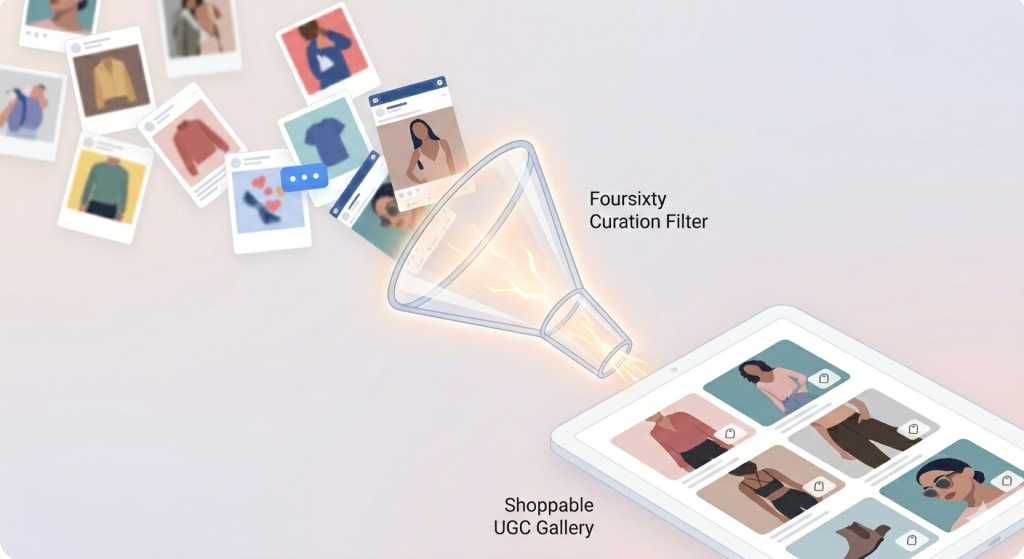
If you’re leaning into UGC, the bottleneck is rarely “getting content”—it’s operationalizing it as conversion infrastructure. Foursixty helps brands turn Shoppable UGC into Shoppable galleries that can live on product pages and collections, so the proof that works on social can also improve onsite conversion and PDP optimization, on specifically Instagram and Facebook.
The Pura Vida case study is here
Frankies Bikinis case study is here
Those are strong examples of social proof moving from content to measurable commerce outcomes rather than staying trapped in the feed.
Scaling Facebook Shops with User-Generated Content

Why UGC Converts Better Than Brand Creative
UGC converts because it collapses uncertainty. A polished brand asset can tell a story, but a real customer photo or video demonstrates reality, and reality is what skeptical buyers trust. This is the applied layer of Social Proof Psychology: shoppers look for “people like me” evidence that reduces perceived risk. What breaks when UGC is unmanaged is consistency—poor quality, unclear claims, and rights issues that create compliance and brand risk.
Turning Instagram & Facebook Content into Shoppable Galleries
If UGC remains isolated inside posts, it has a short half-life. When you curate it into shoppable galleries, it becomes a reusable layer that supports product discovery, category merchandising, and PDP decision-making, which is how you get compounding returns across the funnel. This is also where the connective tissue to other channels matters: the same proof can support YouTube Shopping, Pinterest Shopping, or even TikTok Shop strategies, because the underlying buyer psychology doesn’t change—only the distribution format does. The teams that win treat UGC as an asset class, not a campaign.
Extending Social Proof to Your Website
Your website is where you have the most control over conversion details—layout, offers, experimentation velocity, and deep PDP storytelling. If your Facebook Shop is the “intent capture” layer, your website becomes the “confidence close” layer, especially when you embed proof adjacent to the decision points that matter (variants, sizing, shipping, returns). When brands skip this, they rely on social to do the entire job of conversion, and social isn’t designed to carry that weight alone.
Creating Omnichannel Social Commerce Experiences
This is where Headless Commerce and API-Driven Commerce become practical rather than abstract. If your catalog and product truth are clean and centralized, you can keep pricing, availability, and attribution consistent across Meta, Shopify, email, and other surfaces. Done right, you can actually measure Social Commerce ROI and make better budget decisions; done wrong, you get attribution noise and operational chaos.
Is Facebook Shops Right for Your Brand?
Facebook Shops tends to be worth it when you’re already investing in Meta ads and your category benefits from visual merchandising and proof-led creative. It’s also a strong fit when your audience actively uses Facebook or Instagram for discovery, community, or identity-driven shopping—because those are the contexts where social commerce feels natural. Where brands struggle is when they expect a shop to replace strategy; the shop is a surface, and the strategy is your ability to produce credible creative, maintain catalog hygiene, and close the loop with measurement.
Checklist (kept simple for scanning):
- Are you investing in Meta ads (or willing to)?
- Do you have strong creative and/or consistent UGC generation?
- Can you maintain a clean, accurate product catalog?
- Is your audience active on Facebook/Instagram for shopping and discovery?
The Future of Facebook Shops and Meta Commerce
Meta commerce is converging toward a world where content formats, shopping surfaces, and ad optimization become more tightly coupled. Expect more AI-driven product discovery, more commerce signals feeding targeting, and more emphasis on video-first creative that behaves like proof rather than promotion. The strategic tension will remain: as platform capabilities evolve, the cost of policy compliance and operational rigor increases, and the brands that win will be the ones that can move fast without breaking catalog truth or trust. This is also why mature teams keep their owned site strong—because the best long-term asset is still the one you control.
Ready to Drive Sales with Facebook Shops?
If you’re serious about Facebook Shops, start with the system: catalog quality, proof-led creative, fast messaging operations, and a measurement model that respects the difference between assisted intent and last-click conversion. Then treat the shop as a high-leverage bridge—something that turns attention into structured product exploration—while your Shopify site remains the conversion and data core. When you operate that way, Facebook Shops stops being “another channel” and becomes part of a coherent social commerce engine.
FAQ
How do I access a Facebook shop?
You can access a Facebook shop by going to a brand’s facebook business page and looking for the shop tab or a Shop button, or by tapping product tags from posts that route into the shop experience. For businesses, access to manage and edit the shop happens through commerce manager / facebook commerce manager, which is Meta’s central dashboard for catalogs, collections, and shop settings: https://www.facebook.com/business/tools/commerce-manager. If you don’t see the shop publicly, it may be because the business hasn’t published it, the shop feature isn’t available in their region, or eligibility/policy requirements aren’t met.
Is it free to have a Facebook shop?
Creating a Facebook Shop itself is often free in the sense that Meta doesn’t charge a “setup fee” just to publish a shop, and platform integrations (like Shopify’s Meta channel) are described as free to install and use, subject to eligibility.The real cost comes from operating the system—creative production, catalog management, customer support, and typically paid media through ads manager. Also, the checkout model matters: Meta’s guidance notes that as of September 2025, Shops use website checkout, which changes where transaction-related costs are incurred: https://www.facebook.com/business/help/1314349509894768.
How do I start a shop on Facebook?
You start by creating a commerce account and building your shop in Commerce Manager, then connecting or creating a product catalog and configuring your shop’s layout and collections. Meta’s step-by-step guidance can help you and the Commerce Manager lesson is also useful. Once your catalog is connected, you can add products, organize them into collections, and publish the storefront so it appears on your page and other Meta surfaces. What breaks most first-time setups is skipping catalog hygiene—poor titles, variants, and imagery—because the catalog is the shopping experience.
What is the difference between Facebook Marketplace and Facebook shop?
Marketplace is primarily a classifieds and local commerce space, often peer-to-peer, where shoppers optimize for deals and proximity rather than brand trust. A Facebook shop is a brand-run storefront tied to a facebook business page, with a structured product catalog, merchandising collections, and integration into paid and organic distribution. This difference matters because it changes buyer expectations: Marketplace feels transactional; Shops is designed to support brand-led Social Shopping and retargeting loops. Treating them as interchangeable typically results in the wrong pricing strategy and weaker trust signals.
What Are Facebook Shops?
Facebook Shops is Meta’s social commerce feature set that lets businesses create a storefront inside Facebook (and often connect it with Instagram), with catalog-backed product discovery and shopping experiences. It’s managed through Commerce Manager and designed to integrate with Meta’s broader ad and messaging ecosystem. Strategically, it’s not just a storefront—it’s a distribution and measurement layer that helps connect content, product browsing, and ad optimization inside Meta’s ecosystem. When executed well, it supports a broader Shoppable Social for eCommerce strategy rather than acting as a standalone store.
Are there any fees or costs for enabling Facebook Shops for my BigCommerce store?
BigCommerce’s documentation makes the practical point that Meta’s transaction fee dynamics are tied to where checkout happens, and BigCommerce specifically notes that orders completed on your own website don’t have Meta transaction fees in the same way native checkout once did. You should still expect operational costs—catalog management, support, creative, and potentially increased GMV affecting platform plan tiers—because commerce channels can drive volume even when “enablement” is free. In other words, enabling the integration can be low-cost, but running it well is not. If you’re budgeting, treat this as a channel program, not a toggle.
Can we talk about how terrible facebook commerce manager is?
Yes—Commerce Manager can feel painful because it’s doing three jobs at once: catalog governance, policy enforcement, and multi-surface publishing, which creates a lot of edge cases and “why is this not syncing” moments. The frustration usually peaks when your catalog has inconsistent data (variants, missing attributes, duplicates) or when policy checks trigger rejections that don’t feel intuitive—because Platform Monetization Policies and commerce eligibility rules can be strict and sometimes opaque. The practical fix is to treat Commerce Manager like infrastructure: keep one source of truth for product data, enforce naming and variant standards, and audit catalog errors weekly rather than only when something breaks. That operational discipline is what turns Commerce Manager from “terrible” into “annoying but predictable.”
Do this in my store Go to Meta for BigCommerce in my store Additional Resources Don’t see what you’re looking for?
If you’re seeing that exact prompt, you’re likely inside BigCommerce’s Meta integration area or help flow, where they route you to the Meta channel setup and related documentation. The most useful “Additional Resources” for troubleshooting are usually:
- BigCommerce’s Facebook Shops guide: https://support.bigcommerce.com/s/article/Selling-on-Facebook-Shop-Pages
- BigCommerce’s Instagram selling guide, which includes cost/fee context and integration notes: https://support.bigcommerce.com/s/article/Sell-on-Instagram.
- If something isn’t showing up, the fastest triage is: catalog status → product rejection reasons → connection status between BigCommerce and Meta → publishing state of the shop.https://www.facebook.com/business/tools/commerce-manager.
How do I tag products in photos and videos?
Product tagging requires that your shop and catalog are properly connected, because tags draw from your catalog inventory. For Instagram, Meta’s guidance on adding shopping tags in posts is quite thorough and so is the Meta Business Help version. Once enabled, the workflow is usually: create content → select “tag products” → choose items from your catalog → publish, so tags appear as tappable shopping elements. What breaks most often is catalog mismatch—if products aren’t approved or synced, they won’t appear as taggable options.
Which E-commerce Platform Should Newbies Choose?
If you’re a newbie optimizing for speed, ecosystem support, and predictable operations, Shopify is usually the simplest path to a working store with strong channel integrations—especially for Facebook Shops and Instagram Shop syncing. BigCommerce can be a strong choice for certain teams (especially those thinking about flexibility and mid-market/enterprise needs), but it often asks for more operational maturity upfront, particularly around catalog and integrations. The best decision lens is not features—it’s your ability to execute: choose the platform you can run cleanly while maintaining product data integrity and iterating on PDP content. Once you’re stable, you can evolve toward more advanced architectures like Headless Commerce and API-Driven Commerce when you actually need that complexity.
How can I increase sales using Facebook Shops?
You increase sales by improving the three moments that matter: (1) discovery, (2) belief, and (3) handoff to checkout. Discovery improves through better creative and smarter retargeting in ads manager; belief improves through proof-led content, clear product pages, and consistent pricing and availability; handoff improves by ensuring the path from the shop to your website checkout is fast and coherent. In practice, the biggest lift often comes from merchandising—tight collections, fewer but clearer hero products, and stronger UGC placement—because clutter is the enemy of mobile conversion. When those fundamentals are right, Shops becomes a reliable feeder into your owned conversion engine rather than a dead-end catalog.
How can I promote my Facebook Shop to increase sales?
Promotion is a mix of organic and paid, but the most effective strategy is to make them reinforce each other. Use content with product tagging to seed demand (short demos, comparisons, social proof), then use retargeting to close—because retargeting is where Meta’s machine shines. Treat your shop as a destination you “merchandise into” with campaigns (seasonal edits, gift guides, bundles) rather than merely linking to it. What breaks when promotion is sloppy is message mismatch: if your ad promise doesn’t match what the shopper sees in the shop and on your website, you lose trust and waste spend.
How do I set up and customize my Facebook Shop?
Setup runs through Commerce Manager: create a commerce account, connect a catalog, choose checkout method, then customize collections and shop presentation (cover image, featured collections, ordering).See Meta’s setup pages and of course here is a walkthrough. Customization is mostly merchandising: what products you feature, how you group them, and how you make the shop’s layout readable on mobile. The common failure mode is overbuilding—too many collections, too many similar SKUs, and no narrative—so the shop feels like a warehouse instead of a curated storefront.
How do I set up Facebook Shops to integrate with my Instagram account?
Integration usually means you’re connecting the same catalog and commerce account across Facebook and Instagram so products and collections remain consistent. In practice, you’ll ensure your Instagram is set up as an instagram business account, connect the catalog in Commerce Manager, and then enable shopping features so product tags and the Instagram shop can pull from the same source of truth. Shopify’s Meta channel guide is often the easiest path for Shopify merchants because it streamlines catalog sync and account linking. What breaks when this is done incorrectly is duplication—multiple catalogs, disconnected assets, and inconsistent product availability—leading to missing tags, rejected products, or broken shopping surfaces.